A private business card scanner starts with local OCR
CardAction reads scanned business cards on your phone and stores the contact library there. You can scan without creating a CardAction account. Optional exports send contact information to the services you choose, so those settings deserve a separate check.
Start with 3 free scans a day. See plans and feature limits.
Understand local processing
When you scan a business card, CardAction uses text recognition on the device. The resulting contact and card photos stay in the local library. You can review the details and add notes without a CardAction account or an internet connection.
This distinction matters when the card contains a direct phone number or a personal email address. The privacy policy says CardAction does not upload your scanned contact library to its own contact database. That is a specific statement about scanned cards, not a promise that every feature works without external services.
The local library depends on the phone. Decide how you will keep copies you need before changing devices or uninstalling the app. A CSV or vCard export creates another copy, so choose a storage location whose access you control.
Check optional data sharing
| Feature you use | Where the selected data goes |
|---|---|
| Google Sheets export | Contact rows go directly from the device to Google’s APIs for your connected spreadsheet. |
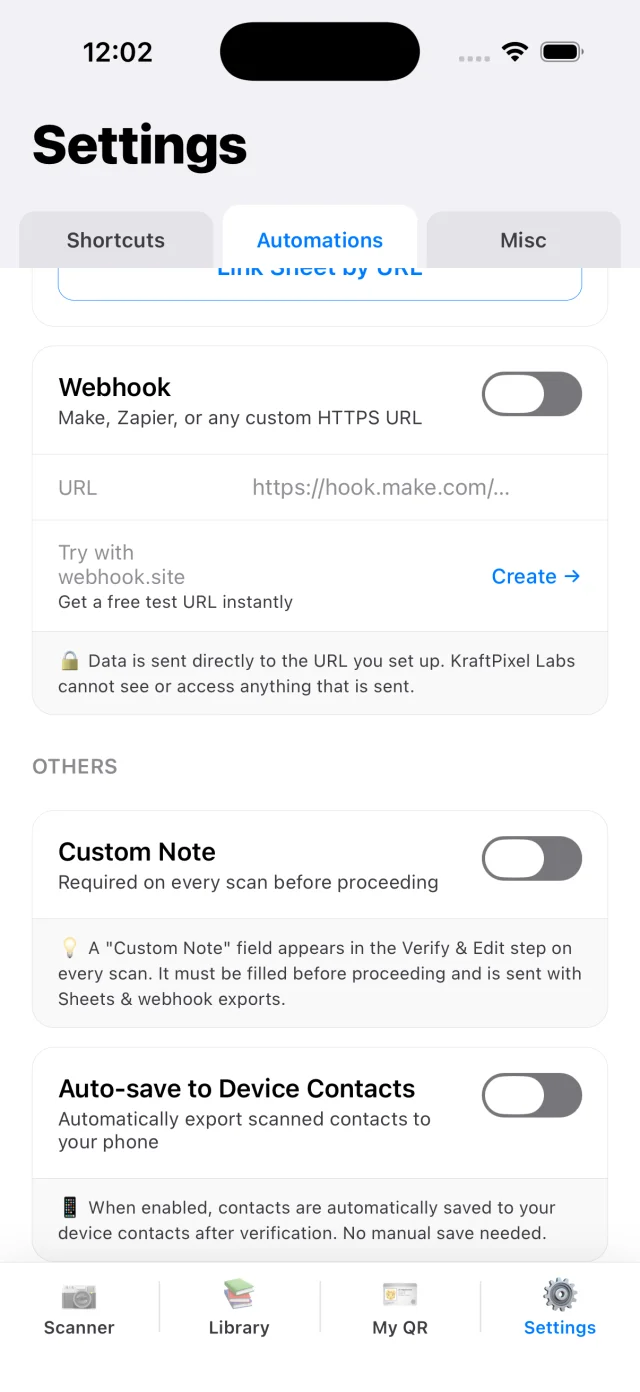
| Webhook automation | Scanned-contact fields go directly to the endpoint you configure. |
| Save to phone contacts | A copy enters your phone’s address book; its account and backup settings then apply. |
| WhatsApp or email | The recipient and message are handled by the chosen messaging service. |
| My QR Wallet pass | The details you put on your own card go to CardAction’s pass server for pass generation and updates. |
Google access uses the drive.file scope, limited to spreadsheets the app created or that you explicitly connected. A webhook’s receiving service has its own retention and access rules. Turning off future exports does not remove rows that already reached either destination.
The Wallet feature uses the card you create for yourself. The privacy policy states that other people’s scanned business cards are not sent to the pass server. Read the policy for its storage and deletion details if you choose to use passes.
Choose a local workflow
- Start with Google Sheets and webhook automations disabled.
- Scan one card and review the result in the local library.
- Grant address-book access when you choose to save a contact there.
- Before an export, check the destination and who can open it.
- Share only the contacts and fields needed for the next task.
For example, a recruiter may need a candidate’s contact details and an agreed next step. A shared event spreadsheet may not need the recruiter’s private notes. Review the exported file before sharing it; the CSV export includes the contact’s Note column.
Read the policy and plan retention
The full privacy policy covers permissions, analytics, subscriptions and server features. The app uses the Meta SDK for attribution and consent-dependent ad measurement. This website uses Google Analytics and Meta Pixel. Those details should be part of your decision alongside the local OCR workflow.
For work contacts, follow your organization’s rules on collection, access and deletion. If you send data to a sheet, CRM or messaging service, check that service’s settings too. Deleting a local contact does not recall copies already shared with a colleague or another system.
If you mainly need to scan where connectivity is poor, the offline guide explains which tasks can stay local and which will wait for a connection.
Common questions
Are scanned business cards uploaded for OCR?
CardAction processes card images using on-device text recognition. Its privacy policy says scanned card photos and the contact library are stored locally and are not uploaded to a CardAction contact database.
Do I need a CardAction account to scan?
No. You can use local scanning without a CardAction account. Google Sheets requires a Google sign-in, and purchases are handled through the app stores and RevenueCat.
Does private scanning mean the app has no analytics?
No. The privacy policy describes the Meta SDK for app attribution and consent-dependent ad measurement, platform diagnostics, and Google Analytics and Meta Pixel on this website. Local OCR is a separate claim from analytics.
Will uninstalling the app delete my exported contacts?
Uninstalling removes the app's local data, but copies you saved to your phone contacts, Google Sheets, a webhook destination or another service remain under that destination's controls. Remove those copies separately when needed.